Установка ISPConfig 3
Чтобы установить самую последней выпущенной версии ISPConfig 3 выполните следующее:
|
Следующим шагом является запуск:
|
Это приведет к запуску установки ISPConfig 3. Программа установки настроит все услуги для Вас, такие как Postfix, SASL, Courier и т.д.:
root@server1:/tmp/ispconfig3_install/install# php -q install.php


--------------------------------------------------------------------------------
 _____ ___________   _____              __ _         ____
|_   _/  ___| ___ \ /  __ \            / _(_)       /__  \
  | | \ `--.| |_/ / | /  \/ ___  _ __ | |_ _  __ _    _/ /
  | |  `--. \  __/  | |    / _ \| '_ \|  _| |/ _` |  |_ |
 _| |_/\__/ / |     | \__/\ (_) | | | | | | | (_| | ___\ \
 \___/\____/\_|      \____/\___/|_| |_|_| |_|\__, | \____/
                                              __/ |
                                             |___/
--------------------------------------------------------------------------------


>> Initial configuration

Operating System: Debian 6.0 (Squeeze/Sid) or compatible

    Following will be a few questions for primary configuration so be careful.
    Default values are in [brackets] and can be accepted with <ENTER>.
    Tap in "quit" (without the quotes) to stop the installer.


Select language (en,de) [en]: - ENTER

Installation mode (standard,expert) [standard]: - ENTER

Full qualified hostname (FQDN) of the server, eg server1.domain.tld  [server1.example.com]: - ENTER

MySQL server hostname [localhost]: - ENTER

MySQL root username [root]: - ENTER

MySQL root password []: - Ваш root SQL пароль

MySQL database to create [dbispconfig]: - ENTER

MySQL charset [utf8]: - ENTER

Generating a 2048 bit RSA private key
....+++
..+++
writing new private key to 'smtpd.key'
-----
You are about to be asked to enter information that will be incorporated
into your certificate request.
What you are about to enter is what is called a Distinguished Name or a DN.
There are quite a few fields but you can leave some blank
For some fields there will be a default value,
If you enter '.', the field will be left blank.
-----
Country Name (2 letter code) [AU]: - ENTER
State or Province Name (full name) [Some-State]: - ENTER
Locality Name (eg, city) []: - ENTER
Organization Name (eg, company) [Internet Widgits Pty Ltd]: - ENTER
Organizational Unit Name (eg, section) []: - ENTER
Common Name (eg, YOUR name) []: - ENTER
Email Address []: - ENTER
Configuring Jailkit
Configuring SASL
Configuring PAM
Configuring Courier
Configuring Spamassassin
Configuring Amavisd
Configuring Getmail
Configuring Pureftpd
Configuring BIND
Configuring Apache
Configuring Vlogger
Configuring Apps vhost
Configuring Firewall
Installing ISPConfig
ISPConfig Port [8080]: - ENTER

Configuring DBServer
Installing ISPConfig crontab
no crontab for root
no crontab for getmail
Restarting services ...
Rather than invoking init scripts through /etc/init.d, use the service(8)
utility, e.g. service mysql restart

Since the script you are attempting to invoke has been converted to an
Upstart job, you may also use the stop(8) and then start(8) utilities,
e.g. stop mysql ; start mysql. The restart(8) utility is also available.
mysql stop/waiting
mysql start/running, process 27585
 * Stopping Postfix Mail Transport Agent postfix
   ...done.
 * Starting Postfix Mail Transport Agent postfix
   ...done.
 * Stopping SASL Authentication Daemon saslauthd
   ...done.
 * Starting SASL Authentication Daemon saslauthd
   ...done.
Stopping amavisd: amavisd-new.
Starting amavisd: amavisd-new.
 * Stopping ClamAV daemon clamd
   ...done.
 * Starting ClamAV daemon clamd
   ...done.
 * Stopping Courier authentication services authdaemond
   ...done.
 * Starting Courier authentication services authdaemond
   ...done.
 * Stopping Courier IMAP server imapd
   ...done.
 * Starting Courier IMAP server imapd
   ...done.
 * Stopping Courier IMAP-SSL server imapd-ssl
   ...done.
 * Starting Courier IMAP-SSL server imapd-ssl
   ...done.
 * Stopping Courier POP3 server...
   ...done.
 * Starting Courier POP3 server...
   ...done.
 * Stopping Courier POP3-SSL server...
   ...done.
 * Starting Courier POP3-SSL server...
   ...done.
 * Restarting web server apache2
 ... waiting .   ...done.
Restarting ftp server: Running: /usr/sbin/pure-ftpd-mysql-virtualchroot -l mysql:/etc/pure-ftpd/db/mysql.conf -l pam -E -Y 1 -8 UTF-8 -H -A -O clf:/var/log/pure-ftpd/transfer.log -D -b -u 1000 -B
Installation completed.
root@server1:/tmp/ispconfig3_install/install#
Программа установки автоматически настроит все основные услуги, так что никакой ручной настройки не требуется.
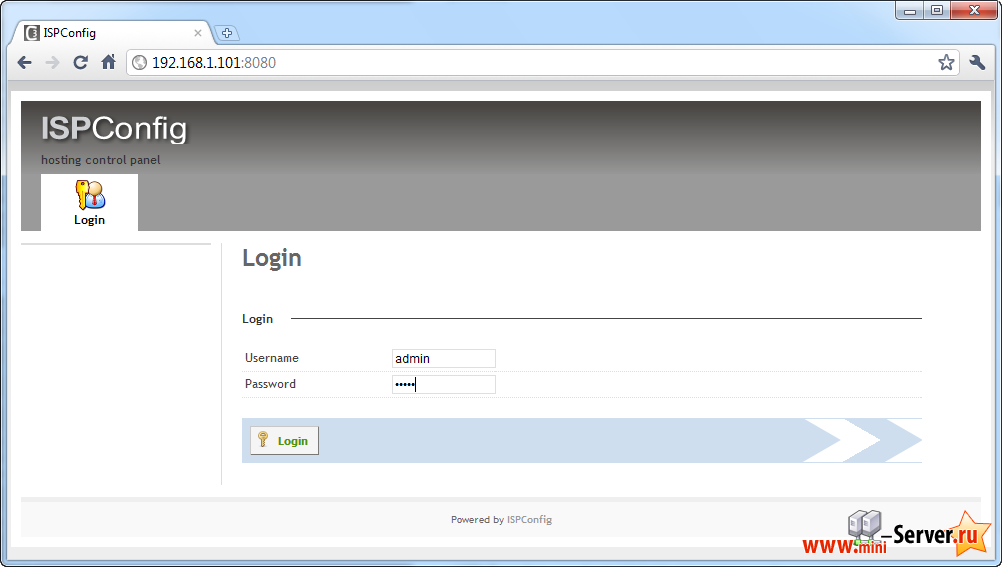
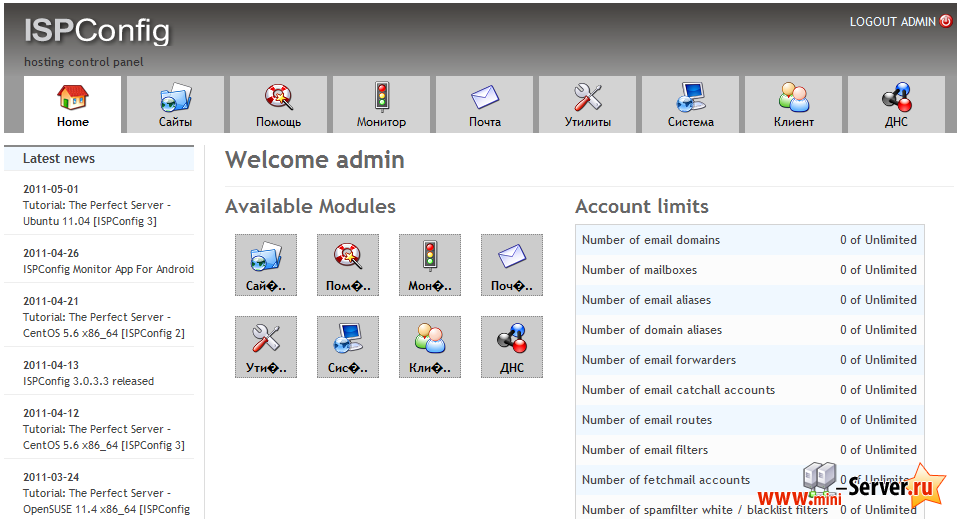
После этого Вы можете получить доступ к панели ISPConfig 3 по адресу http://server1.example.com:8080/ или http://192.168.1.101:8080/. Войти с именем пользователя admin и паролем admin (Вы должны изменить пароль по умолчанию после первой авторизации):
Обсуждение темы на форуме Идеальный сервер - Ubuntu 11.10 [ISPConfig 3], где Вы сможите не только задать свой вопрос но и скачать готовый сервер. Если Ваш вопрос отличается от предложенной темы, создайте новую ветку форума, что бы не разводить мусор. Если Вы уже авторизованый на сайте, то и на форуме тоже (автоматическая объединенная регистрация).
- << Назад
- Вперёд